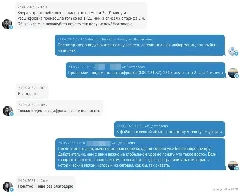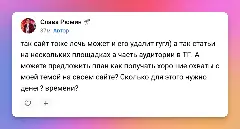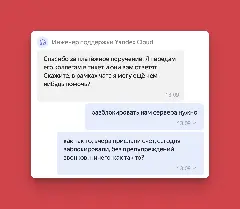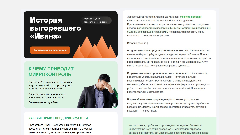
Images are everywhere in our daily workflows. We save screenshots of useful information, photograph documents, and capture handwritten notes. But when we need to review that content, manually extracting and organizing the text can become surprisingly time-consuming.
One way to solve this problem is to summarize text from image files using AI. By combining text recognition with language processing, AI tools can turn visual information into readable summaries.
Why Summarizing Images Matters
Traditional text summarization works well with copied paragraphs or editable documents. Images create an additional challenge because the information first needs to be recognized.
Consider a few common situations:
- A student photographs several pages of lecture notes.
- A researcher saves screenshots of important articles.
- A professional captures presentation slides during a meeting.
- A teacher collects scanned learning materials.
- A content creator organizes ideas from visual references.
In these situations, converting image-based text into concise summaries can reduce repetitive manual work.
How to Summarize Text from Image Files
The general workflow is straightforward.
1. Select a Clear Image
Choose a screenshot, scanned page, or photograph containing readable text.
Image quality matters. Blurry photographs, unusual fonts, and poor lighting can affect recognition accuracy.
2. Use an AI Image Summarizer
A tool such as AI Summarizer provides a dedicated workflow for processing images and documents.
Rather than manually transcribing the contents, users can upload an image and generate a structured summary of the information.
3. Identify the Important Information
AI summarization helps reduce lengthy content into shorter explanations, highlighting main ideas and supporting details.
This is useful when reviewing multiple images or preparing quick study notes.
4. Verify the Results
Always compare important facts with the original image, particularly names, dates, numerical information, and technical concepts.
AI-generated summaries are useful starting points, but they can contain recognition or interpretation errors.
Practical Applications
Learning and Education
Students can summarize photographed textbook pages or handwritten notes into structured revision materials.
Short summaries make it easier to revisit essential concepts before an exam.
Workplace Productivity
Professionals can process screenshots, presentation slides, and photographed meeting notes.
Instead of repeatedly searching through images, they can organize information into readable text.
Research and Content Creation
Researchers and writers often collect visual references from multiple sources.
Extracting and summarizing image-based text can simplify the process of reviewing source materials and organizing ideas.
Personal Knowledge Management
Screenshots are convenient for saving information, but they can quickly accumulate.
Turning them into summaries helps create a more searchable and organized collection of notes.
Tips for Better AI Summaries
To improve results when you summarize text from image files:
- Use images with readable text and adequate resolution.
- Avoid unnecessary backgrounds and visual clutter.
- Keep the original image for fact-checking.
- Review extracted numbers and technical terminology.
- Choose the summary length based on your purpose.
- Avoid uploading confidential information without checking the service's privacy practices.
The objective is not simply to shorten content, but to preserve the information that matters.
Final Thoughts
AI-powered image summarization offers a practical way to work with screenshots, scanned documents, and photographed notes.
Whether you're studying, researching, or managing everyday information, learning to summarize text from image files can make your workflow more efficient.
For those exploring this approach, AI Summarizer is an option for converting image-based information into readable summaries.