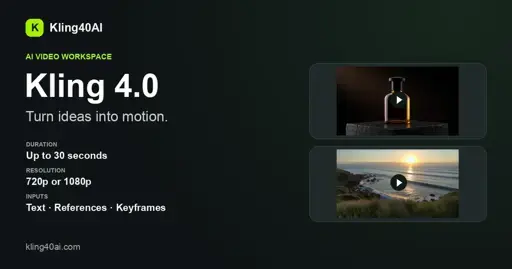
Short-form video has become one of the most demanding formats for modern creators, and Kling 4.0 is built to answer that need with an AI video generation pipeline that turns simple prompts into motion. Instead of assembling a crew and a shoot schedule, a team can describe the scene they want and let the model draft the first version of the clip.
For studios and independent makers alike, Kling 4.0 gives a fast way to prototype scenes before committing budget to production. The appeal is not only speed but also consistency: a single prompt language can be reused across cuts, so the visual direction stays coherent from one draft to the next.
What Kling 4.0 Does
At its core, the tool is a text-to-video and image-to-video system. You provide either a written description or a starting frame, and the model generates a short sequence that follows the described motion. This makes it useful for storyboards, social clips, product teasers, and concept previews where a moving image communicates more than a static mockup.
The generation step is intentionally simple. A creator writes what should happen, optionally attaches a reference image, and the system returns a clip that can be reviewed, regenerated, or refined. Because the loop is quick, iteration becomes part of the creative process rather than a separate late-stage task.
Text to Video and Image to Video
The text-to-video path is the most accessible entry point. A sentence such as "a calm wide shot of a city at dawn" is enough to produce a plausible first cut. The image-to-video path extends this by animating an existing still, which is especially handy for breathing life into product renders or illustrations without reshooting anything.
Both modes share the same underlying motion model, so results feel related even when the inputs differ. That continuity matters when a brand wants a series of clips that read as one campaign rather than a collection of unrelated experiments.
Controlling Motion and Duration
Motion control is where the workflow becomes practical. Prompt wording steers camera feel, subject movement, and pacing, while the platform handles the frame-to-frame coherence that is normally the hardest part of hand animation. Clips stay short by design, which keeps them suited to the formats people actually watch and share.
Duration is kept within a range that fits social and preview use, so the output drops straight into an edit timeline. There is no need to trim a long render down to size before it is useful.
Workflow Fit for Creators
Kling 4.0 slots into an existing pipeline rather than replacing it. Many teams use the generated clip as a rough draft, then polish it in their regular editing tool. The draft answers the question "does this idea work visually" long before any final assets are commissioned.
For agencies, the value is throughput. A handful of prompt variations can be produced in the time it would take to set up a single traditional shoot, letting account teams show clients several directions in one meeting instead of one.
Getting Started
Getting going is a matter of writing a clear prompt and reviewing the result. The more specific the description, the closer the first draft lands to the intended shot, which reduces the number of regeneration cycles needed to reach something usable.
Because the output is a real video file, it can be dropped into any standard editor, shared for feedback, or used as a placeholder while final footage is produced. That flexibility is what makes an AI video step worth adding to a modern content workflow.